
How to Reply to App Store Reviews: 12 Best Practices
Replying to app store reviews means posting a public developer response to a user's review on the Apple App Store or Google Play. Both stores allow one public reply per review, visible to every future visitor to your listing. The reviewer is notified and can update their rating.In this guide:
- Why reply to app store reviews
- What each store allows
- Which reviews should you reply to?
- 12 best practices for replying to app reviews
- Rookie mistakes to avoid
- How Appbot makes this manageable
- Frequently asked questions
Reply to every review that matters, in a fraction of the time
Appbot brings your Apple App Store and Google Play reviews together, tells you what they are about, and drafts replies in your voice.
Start your free trial →That last part is the whole point. Google's Play Console documentation states that responding to a negative review can increase that rating by an average of +0.7. Google also says plainly that apps which reply to their reviews tend to have higher overall ratings.
Both stores have supported developer replies for years. Most apps still barely use them. That gap is the opportunity.
Why reply to app store reviews
Improve your star rating
Start here, because it is the one with a number attached.
+0.7 stars
Average rating increase from responding to a negative review, according to Google Play Console.
Play Console will even show you the difference, splitting rating updates by whether or not you replied. Independent research points the same way: in one study by Hassan and colleagues of developer responses on Google Play, 4.4% of reviewers who received a response raised their rating, against 0.7% of those who did not. Roughly six times the chance of a review improving, for the cost of a well written reply.
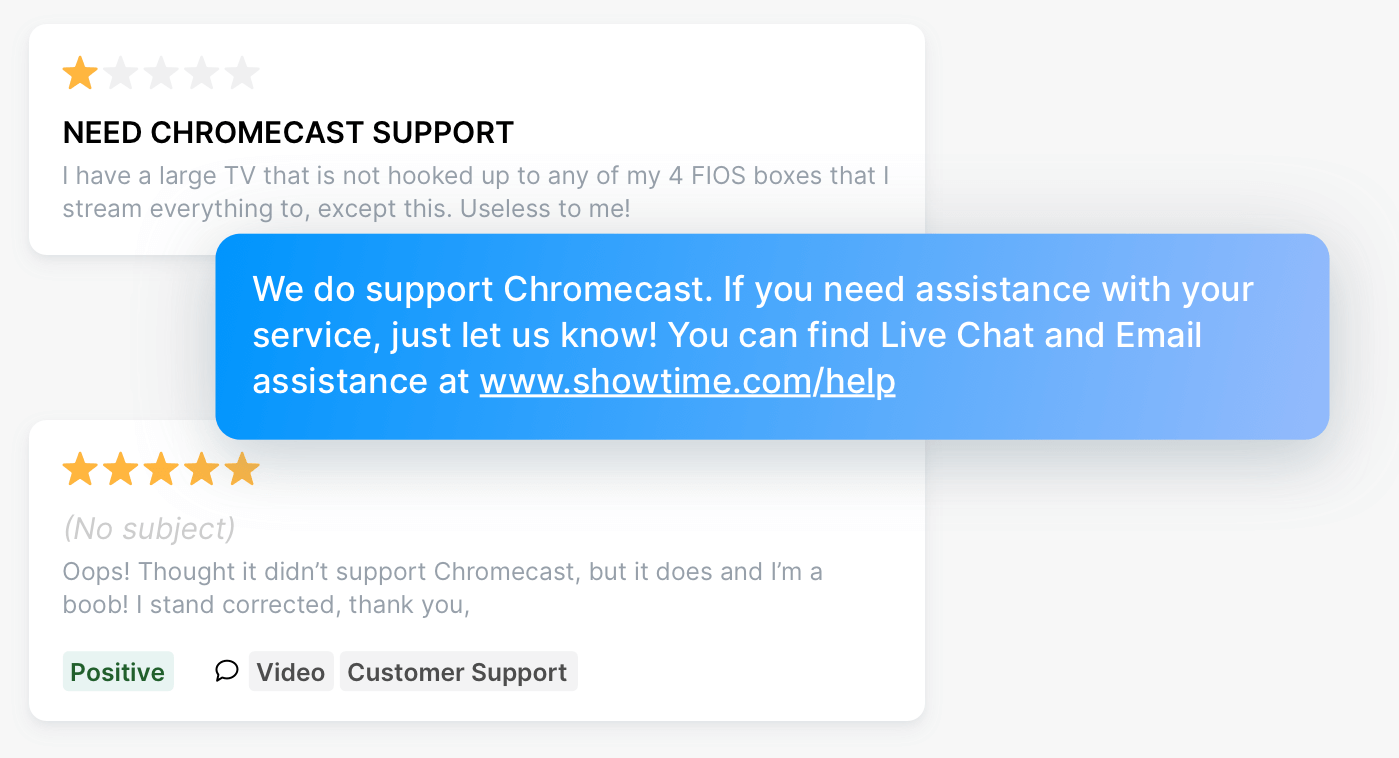
Here is what that looks like in the wild. A useful reply turning a 1-star review into a 5-star review:
Stand out from the crowd
97% of Google Play reviews go unanswered. Would you download an app that ignores its users?
Independent research points the same way, putting the share of developers who respond to reviews at 13% to 18%. Either way, your replies sit on your listing permanently, in front of every future visitor deciding whether to install. Silence sits there too.
Find what needs fixing, faster
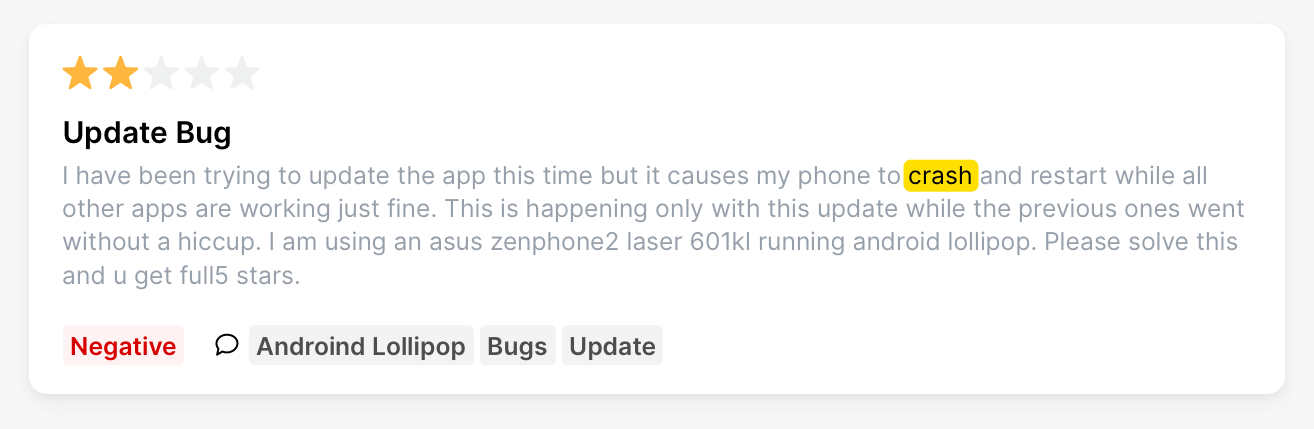
Crashes, payment failures and broken flows often show up in reviews before they show up in your support inbox. Replies get you the missing detail: device, version, exact steps. Some reviewers will tell you outright that they will raise their rating once the problem is solved.
Get feedback without running a survey
Your reviews already tell you what users love, what they hate and what they want next. No fieldwork, no incentives, no waiting.
What each store allows
Knowing the rules changes how you write.
| Apple App Store | Google Play | |
|---|---|---|
| Public replies per review | One | One |
| Reply length | Generous, room for a full answer | 350 characters |
| Editing | Yes, only the latest version shows | Yes |
| Reviewer notified | Yes, and can update their review | Yes, and can update their review |
| Age limit on replies | None, you can answer any review | None |
Two things worth knowing. Apple lets you respond to reviews regardless of when they were written, so an old 1-star review is still winnable. And the 350-character cap on Google Play rules out the long, hedged support-ticket reply. Lead with the answer, cut the preamble, move anything complex to email.
Which reviews should you reply to?
Apple's own guidance is the right starting point: if you cannot respond to every review, prioritise the lowest star ratings, and those mentioning technical issues with the current version of your app.
In practice that means:
- 1 and 2-star reviews. Treat each one as a shot at five stars.
- Anything mentioning bug, crash, freeze, error, refund or charge on your current release. Acknowledging a problem builds trust, especially when you follow through.
- Any criticism, even in a 4 or 5-star review. These are your friendliest users telling you exactly what to fix.
- Feature requests you have shipped or plan to ship. Easy wins, and the reviewer usually updates their rating.
If you have capacity to reply to everyone, test it and watch your rating. Just make sure volume never turns your replies into wallpaper.
Finding those reviews is the slow part. Appbot's sentiment and topic analysis groups them automatically, so "every 1-star review mentioning a crash on the current version" is a filter rather than an afternoon of reading.
12 best practices for replying to app reviews
Be fast
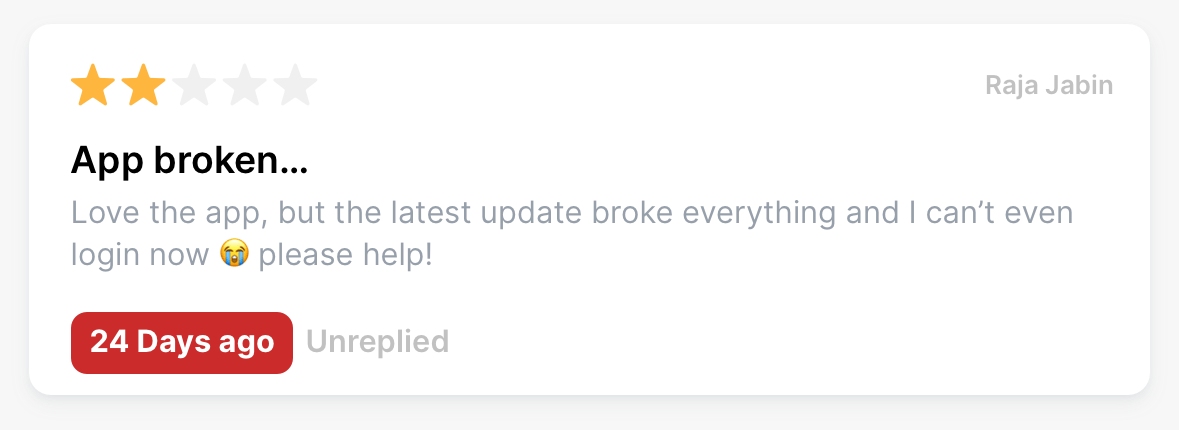
A reply days or weeks later reads as an audit trail, not a conversation. Aim to answer inside 24 hours, and same-day for 1-star reviews. Would you leave a support email sitting for three weeks?
Speed is a workflow problem more than a willpower problem. New reviews can route straight into Slack, Microsoft Teams or Zendesk within hours of being posted, so nothing waits on someone remembering to open the store console.
Use names, theirs and yours
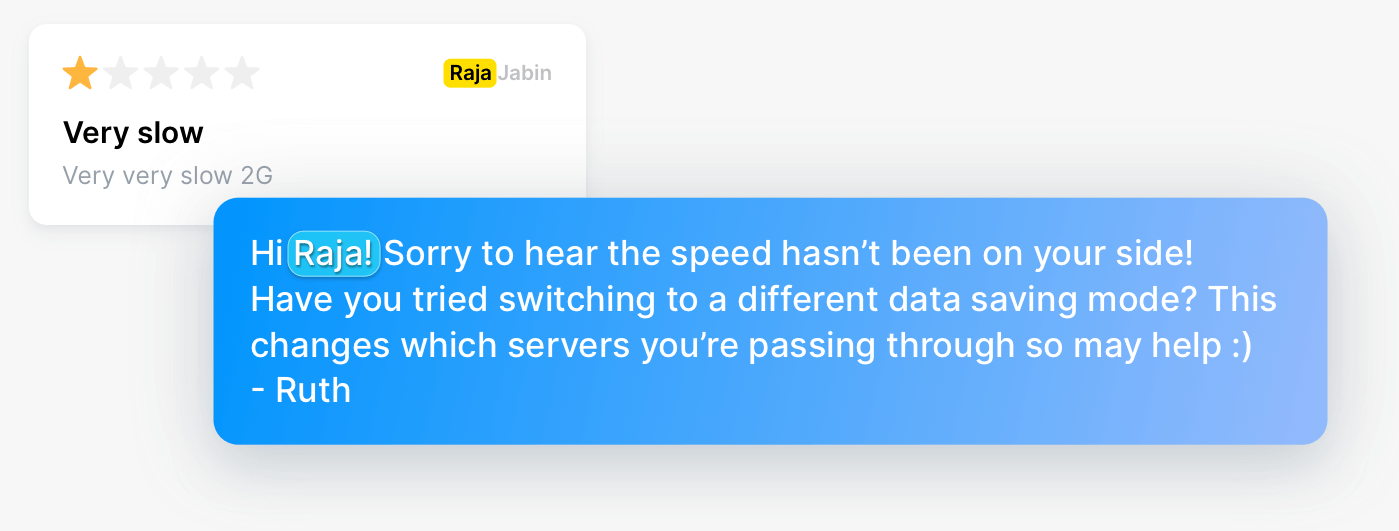
Reviewers are people. Signing off with a real first name costs nothing and immediately separates you from the canned-response crowd.
Apologise for a bad experience
Even if you think the complaint is unfair, the experience was real to them. One clean sentence of acknowledgement does more than a paragraph of explanation.
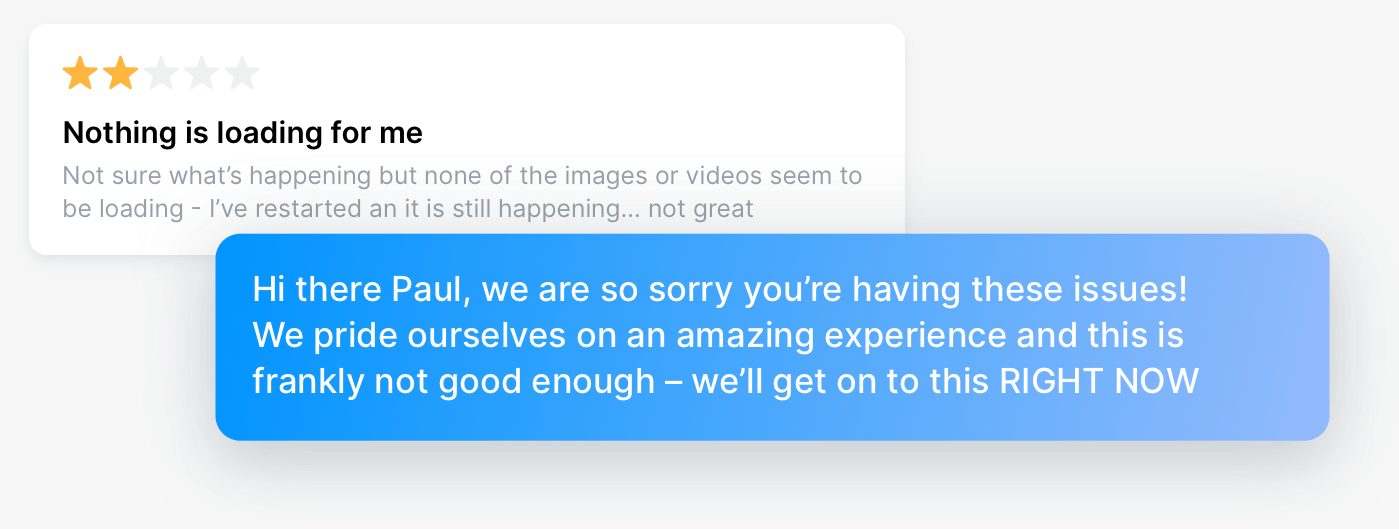
Keep it concise and specific
Apple's guidance is that the ideal response is concise and clearly addresses the customer's feedback. No marketing language, no spam, no personal information. On Google Play you have 350 characters, which enforces this for you.
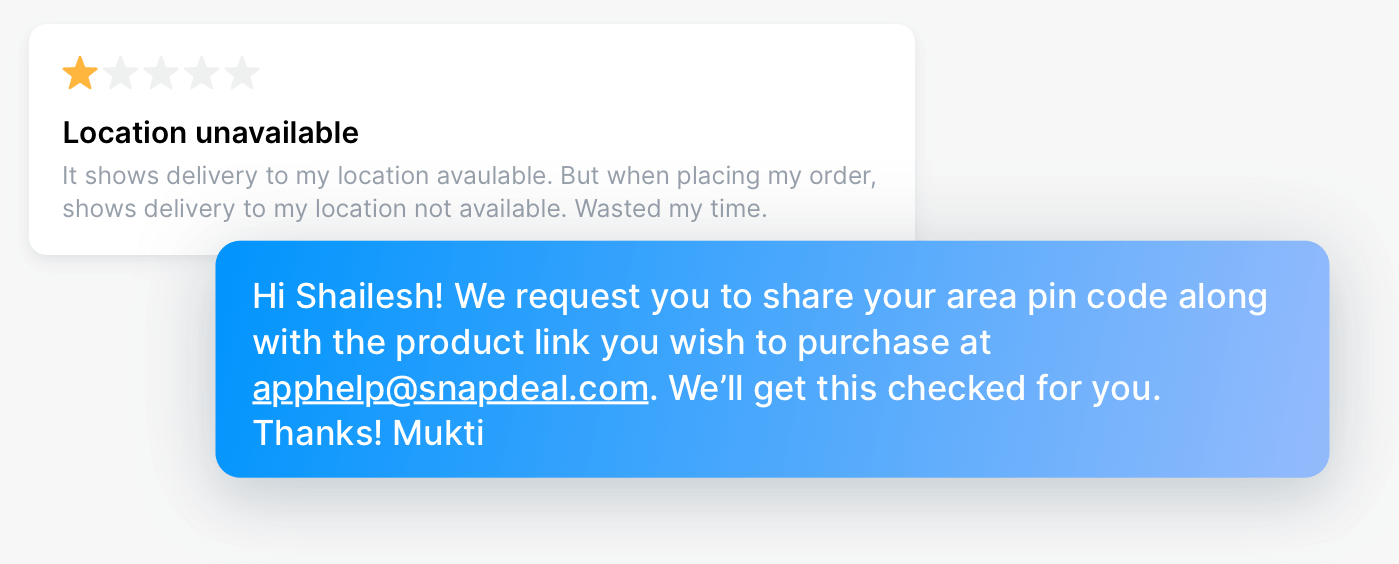
Ask for exactly what you need
Reviewers rarely know what is useful to you. Do not ask them to provide more details. Ask for the device, the OS version, the screen they were on and what happened. Specific questions get specific answers.
Compare that with the version nobody wants to receive:
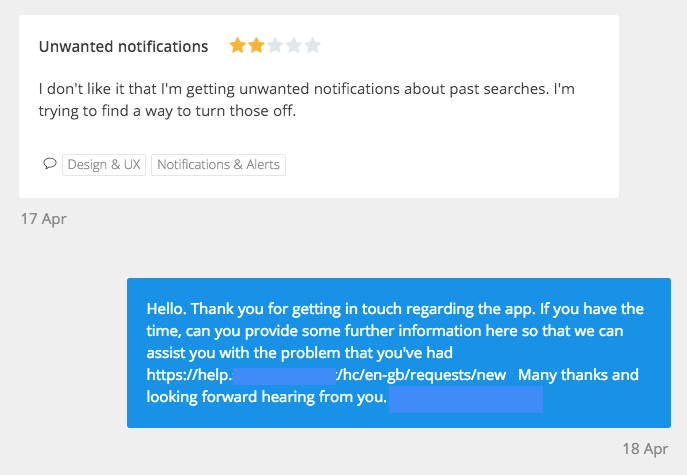
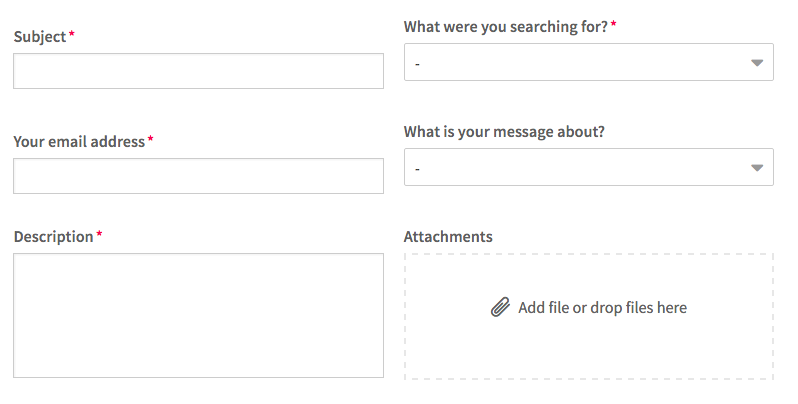
Where the link lands on a page like this:
Say what you have done, or will do
Actions speak louder. Tell them the fix shipped in 4.2, or that the bug is now with the team, or that a refund is on its way. Vague reassurance reads as a brush-off.
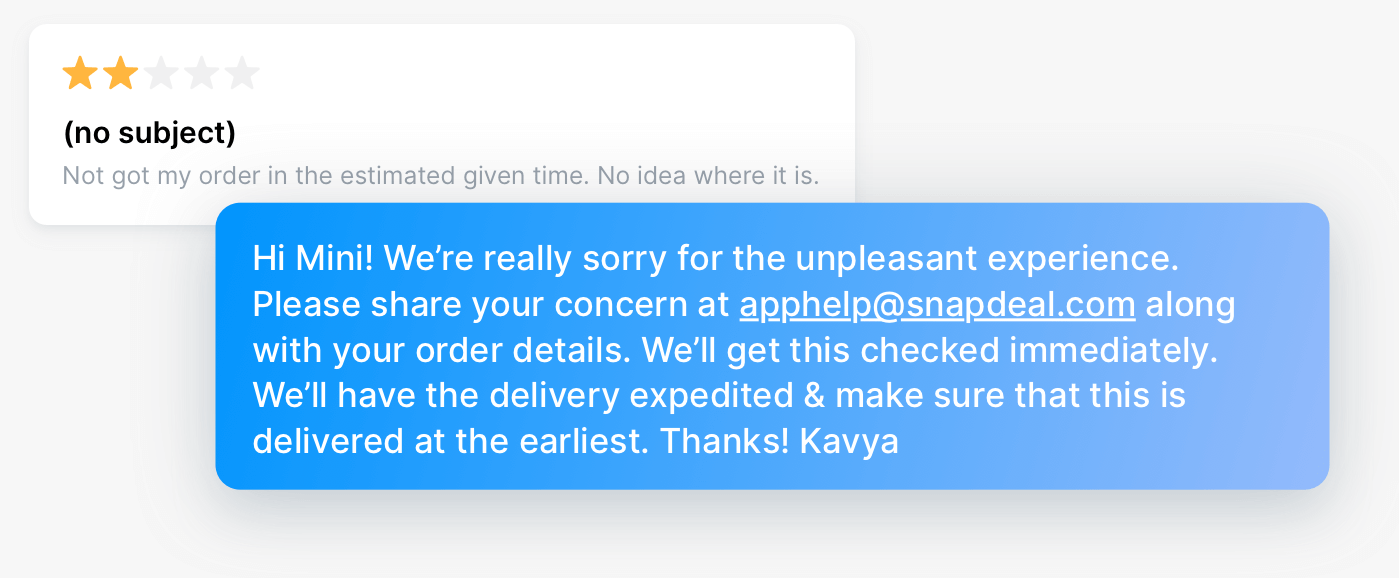
It matters even more when you deliver goods or services outside the app:
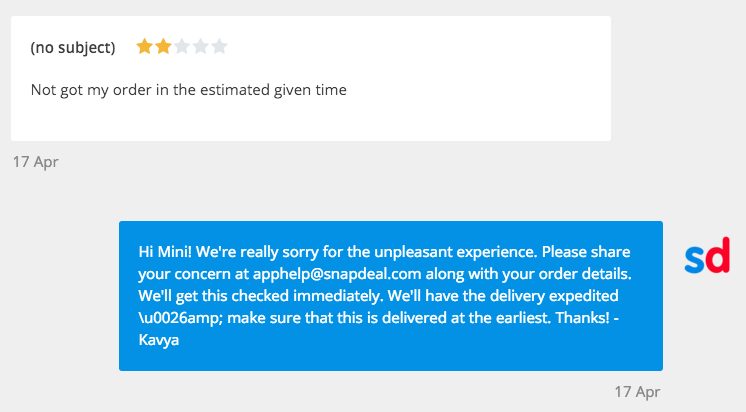
Point to a real workaround or help doc
Deep link to the article that solves their problem, not your support homepage. Sending someone to a generic help centre to diagnose their own issue is worse than not replying.
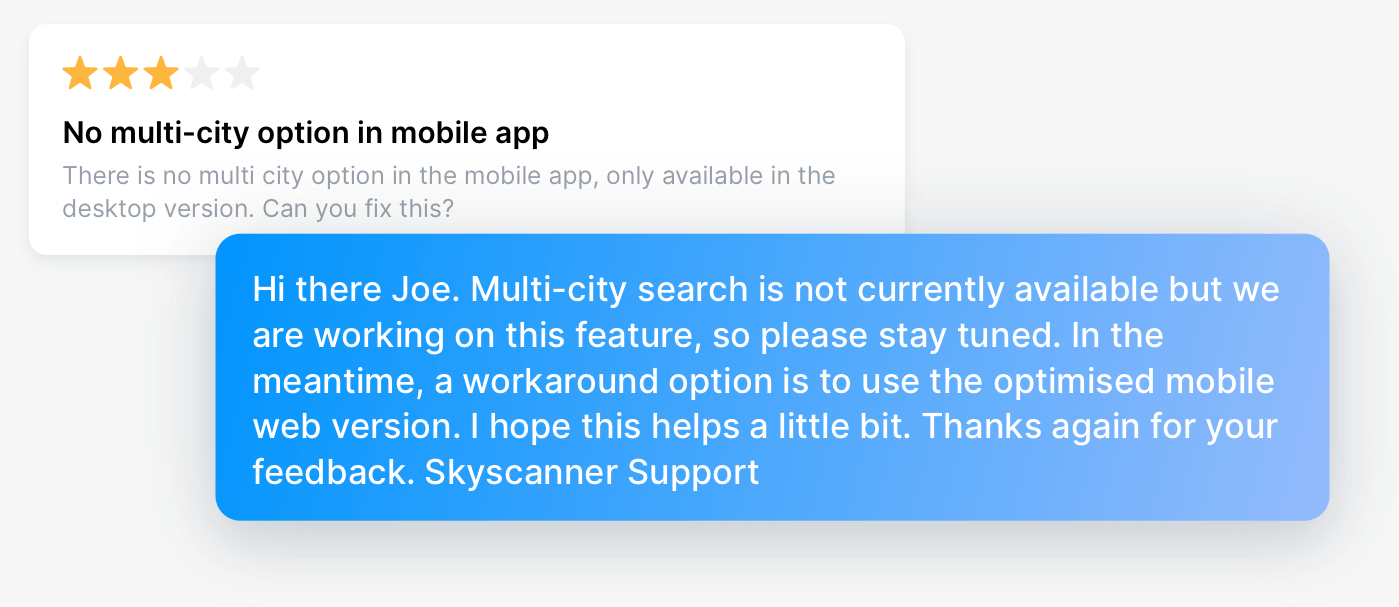
Take the conversation offline when it needs it
A direct email address gives users a way to reach a human, and gets you to the root cause faster than 350 characters ever will. Use it for the hard cases, not as a default.
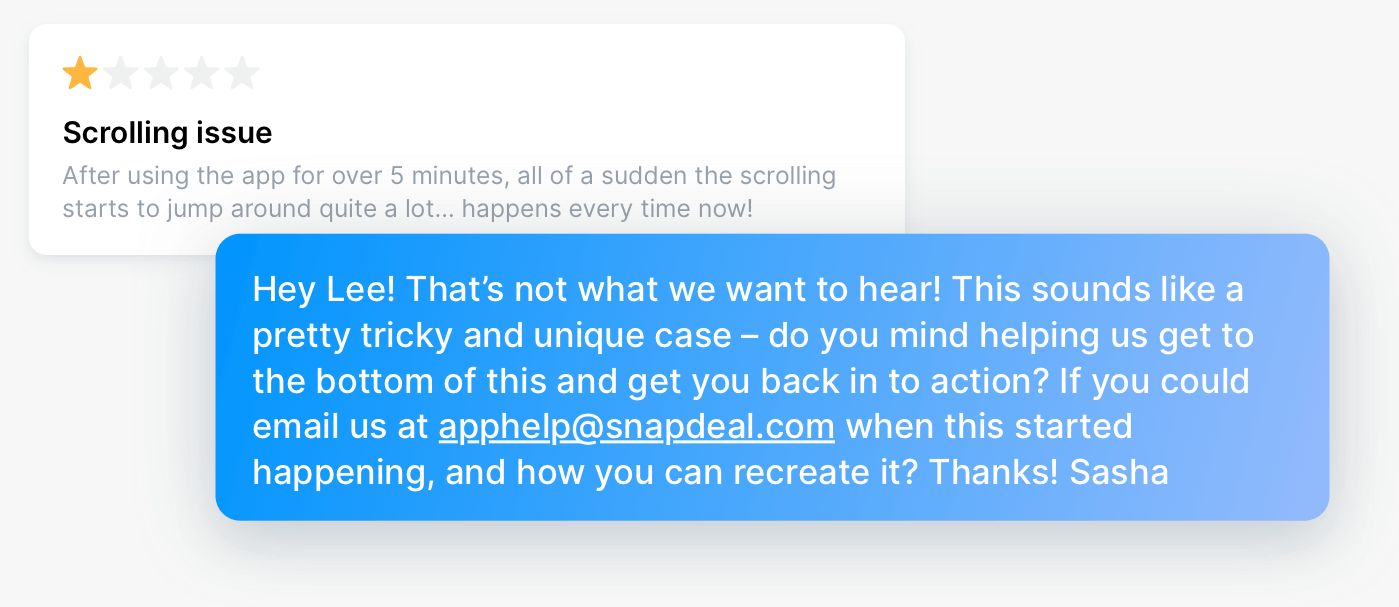
Do not send everyone to your helpdesk
Referring every reviewer to a support channel is convenient for you and useless for them. If you can answer in the reply, answer in the reply.
Answer criticism in 4 and 5-star reviews
Your happiest users get the least attention and are the easiest to delight. A reply here often turns a good review into a great one, and a user into a repeat advocate.
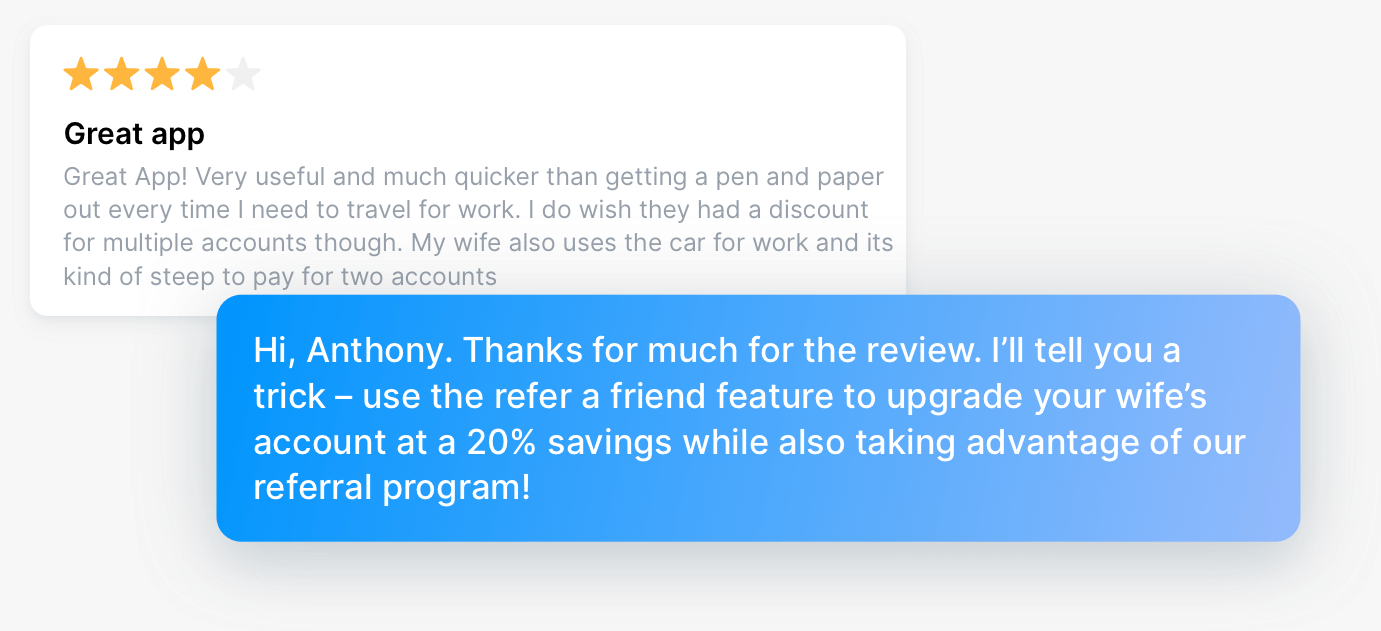
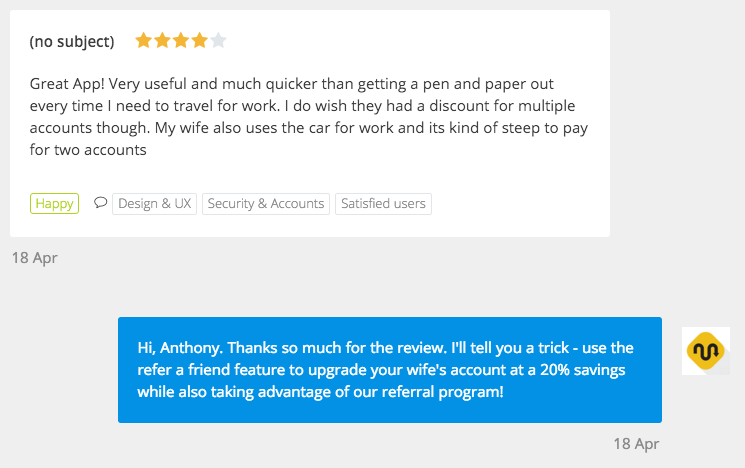
The catch is finding them. A complaint inside a 4-star review is invisible if you sort by rating. Keyword and phrase analysis surfaces the criticism regardless of the stars attached to it.
Follow up when you ship
Fixed the bug someone reported? Built the feature three reviewers asked for? Go back and tell them. Both stores let you edit your response, and Apple lets you reply to reviews of any age, so nothing stops you closing the loop months later. This is the highest-return reply you can send, and the most commonly skipped.
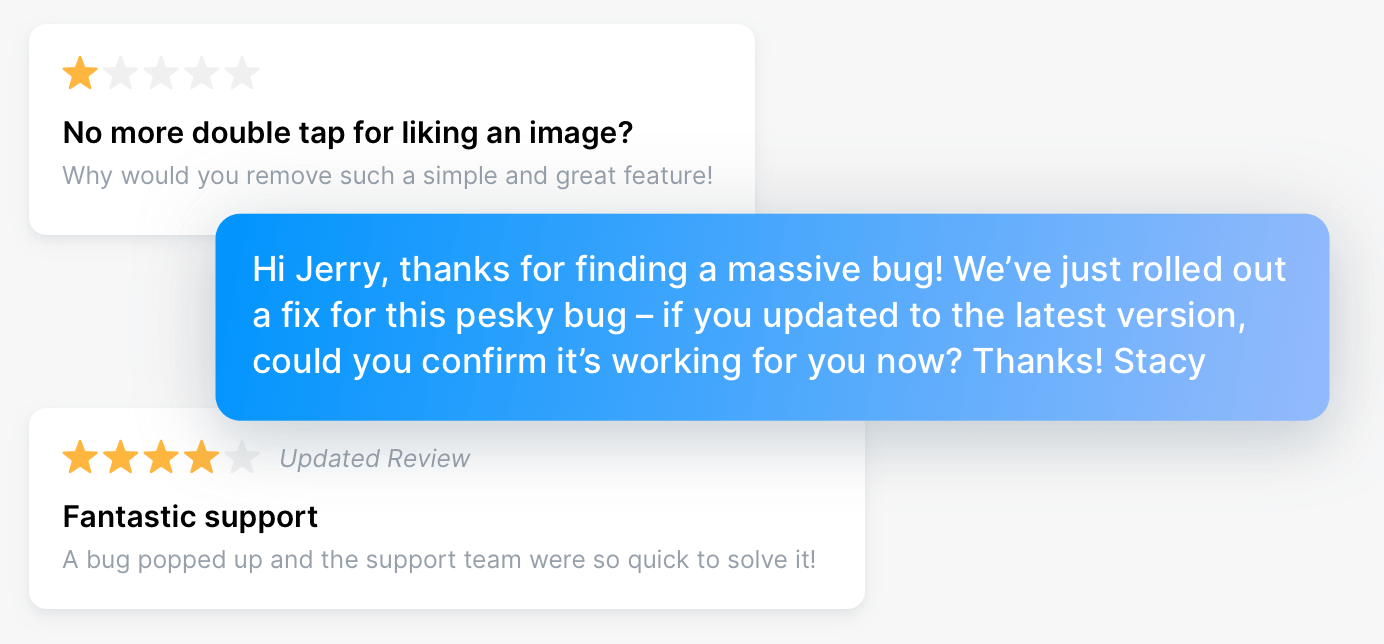
To do this at any scale you need to know which release each complaint came from. Version tracking ties reviews to the build they were written about, so when the fix ships you already have the list of people to go back to.
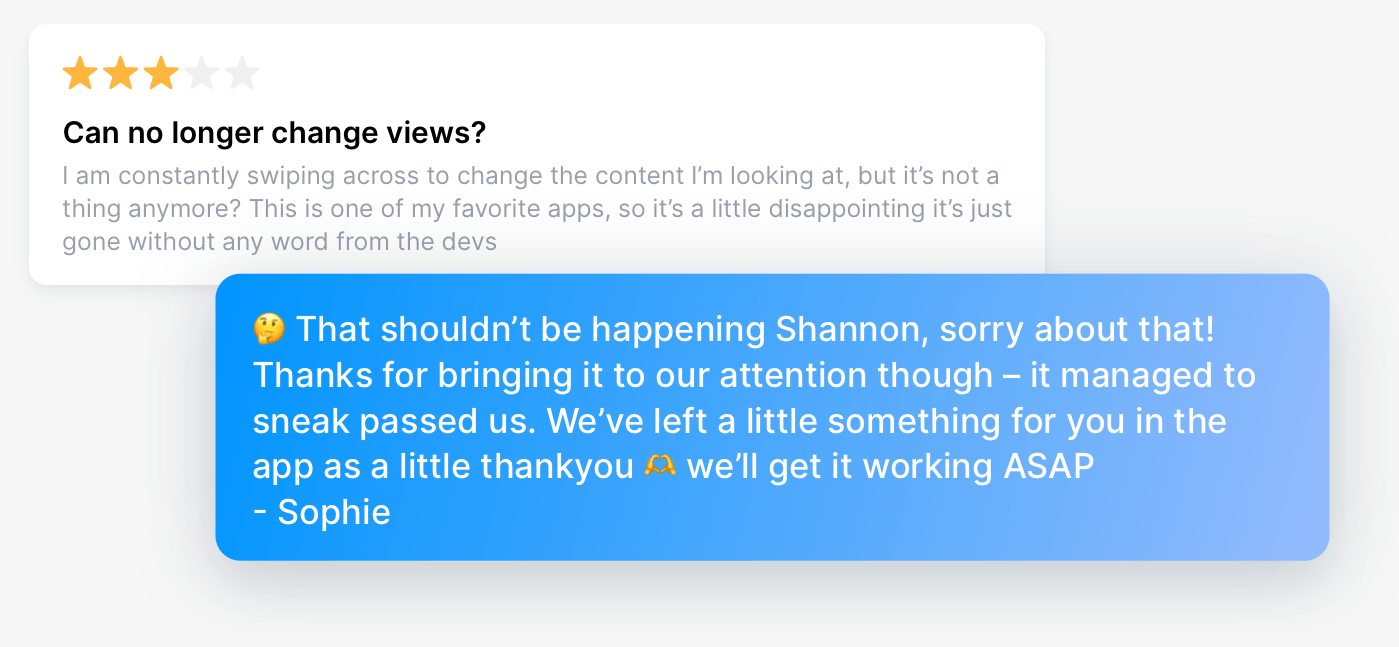
Never argue
Maybe the feature already exists. Maybe the request is impossible. Resist the urge. A public argument costs you more than one bad review ever will. When all else fails, read your reply back as if you were the user receiving it.
Rookie mistakes to avoid
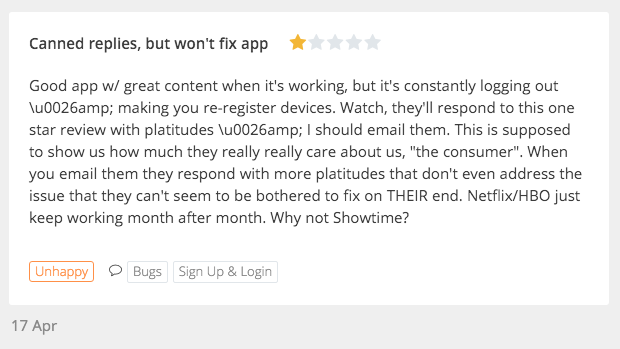
Overusing canned replies
Apple explicitly recommends personalising responses rather than using generic ones for similar reviews. Templates are fine used sparingly. Sent to everyone, they show, and reviewers call it out publicly. Personalising at volume is the real problem, and AI Replies is built for exactly that: each draft is written from what that specific reviewer said, so personalising stops being the slow option.
Marketing in your replies
A review response is not a promo slot. Both stores frown on it, and users notice immediately.
Copy-pasting the same reply across a rating spike
If ten people report the same crash, they can all see each other's reviews.
Over-the-top gratitude
Stay genuine. Unless someone offered to babysit your kids, dial it back.
Ignoring non-English reviews
A large share of reviews for most apps are not in English. Left unread, they are a blind spot in both your support and your roadmap. Google's own advice is to reply in your own language if you have no native speaker available, rather than not reply at all. Appbot analyses reviews in their original language and translates them for reading, so nothing sits unread just because of the language it arrived in.
How Appbot makes this manageable
Replying well is easy for ten reviews and brutal for ten thousand. Appbot closes the gap:
- All your reviews in one place, across both stores and every country and language you ship in. Monitor app store reviews →
- AI Replies and AI Drafts write a reply in your voice, grounded in what the reviewer actually said, so you edit instead of starting from scratch.
- Auto Replies handle your straightforward positive reviews on rules you set, freeing your team for the 1 and 2-star reviews that need a human. How replies work →
- Automatic topic and sentiment analysis groups reviews by what they are about, so you can answer every mention of a bug in one pass and spot a spike before it hits your rating.
- Reply tracking shows what has been answered, by whom, and what changed. Reply from Slack, Zendesk, Teams and more, and every response posts back to the store automatically.
For our own apps, we use a mix of AI Replies, Auto Replies and canned replies for 3 to 5-star reviews, and write every 1 and 2-star reply by hand.
Reply to every review that matters, in a fraction of the time
Appbot brings your Apple App Store and Google Play reviews together, tells you what they are about, and drafts replies in your voice.
Start your free trial →Frequently asked questions
Can you reply to reviews on both the Apple App Store and Google Play?
Yes. Both stores support one public developer reply per review. Apple has allowed it since 2017, Google Play since 2013. The reviewer is notified and can update their rating in response.
How long can a developer reply be?
Google Play caps replies at 350 characters. Apple is more generous, with room for a full answer. Writing to the shorter limit is a good habit for both.
Does replying to reviews improve your app rating?
Google's Play Console documentation states that responding to a negative review can increase that rating by an average of +0.7, and that apps which reply tend to have higher overall ratings. Independent research on Google Play found reviewers who received a response were roughly six times more likely to raise their rating.
How quickly should you reply to app store reviews?
Inside 24 hours, and same-day for 1-star reviews. The longer the gap, the less likely the reviewer is still paying attention.
Which reviews should you reply to first?
Apple's guidance is to prioritise the lowest star ratings and those mentioning technical issues with your current version. After that, criticism inside 4 and 5-star reviews, and feature requests you have shipped.
Can you reply to old app store reviews?
Yes. Neither store puts an age limit on replies, so an old 1-star review is still winnable. Apple explicitly allows responses to reviews regardless of when they were written.
Should you reply to positive reviews?
Yes, selectively. Your happiest users get the least attention and are the easiest to delight, and 4-star reviews often contain a fixable complaint buried in the praise.
About The Author

Claire is the Co-founder & Co-CEO of Appbot. Claire has been a product manager and marketer of digital products, from mobile apps to e-commerce sites and SaaS products for the past 15 years. She's led marketing teams to build multi-million dollar revenues and is passionate about growth and conversion optimization. Claire loves to work directly with the world's top app companies delivering tools to help them improve their apps. You can connect with her on LinkedIn.