

Ask Appbot: Analyze App Reviews in Plain Language
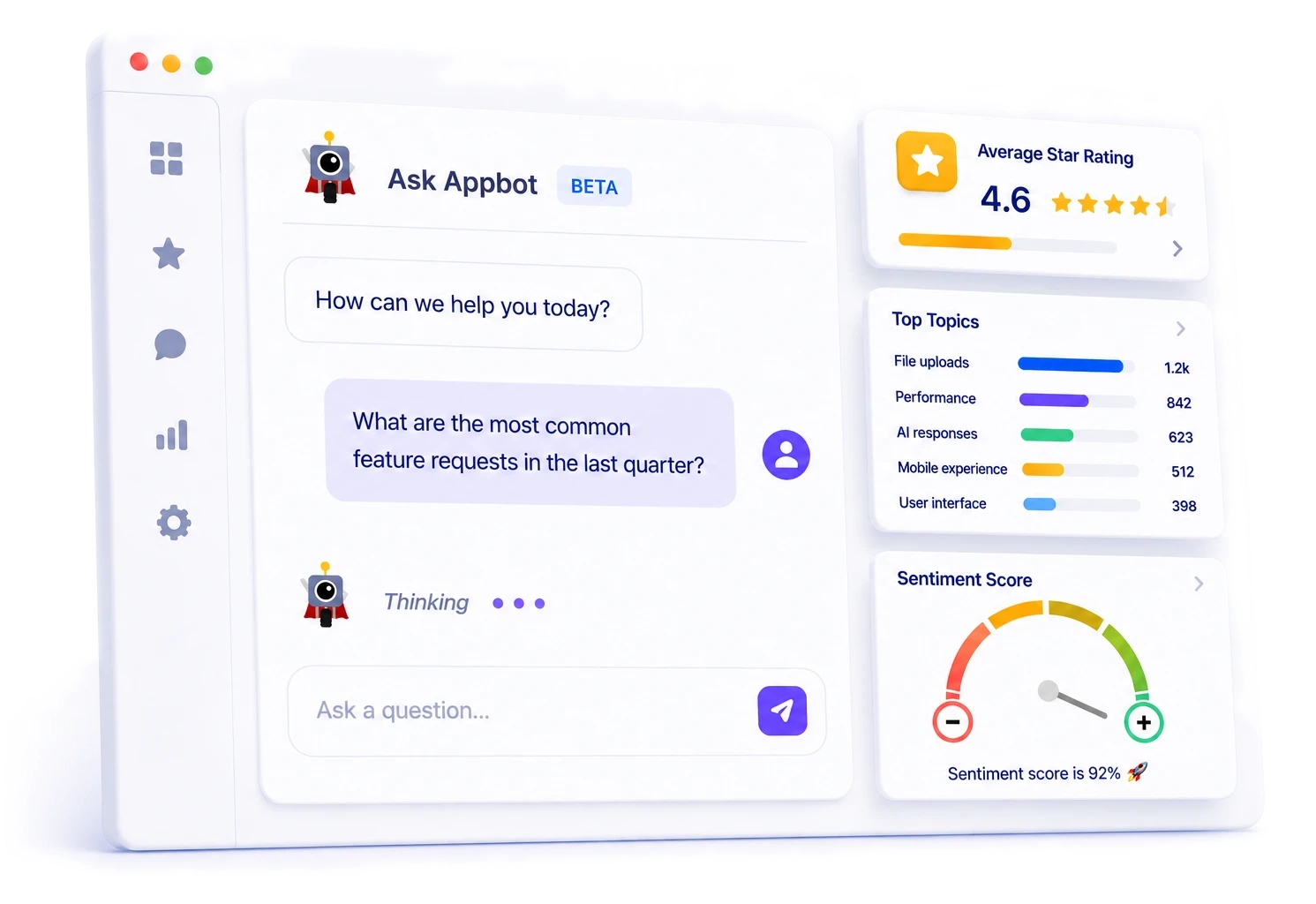
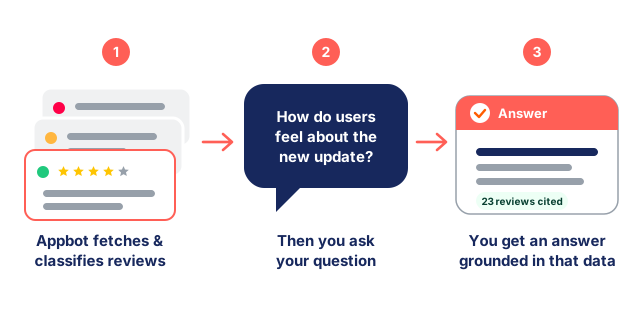
Instead of filtering dashboards or reading thousands of reviews, just ask. Ask Appbot answers in plain language, grounded in your own structured data with sentiment, topics, emotions and ratings, across your full app review history.
Over 25% of the Fortune 100 and 35% of top charting app developers use Appbot























Why it's different
Key facts about Ask Appbot
Grounded answers, not confident guesses – every number traceable back to a real app review.
400M+ Records
Ask Appbot draws on classification from proprietary models trained on 400 million app reviews – built for how app users actually write, emoji and all-caps included.
93% Sentiment Accuracy
Answers rest on classification that is 93% accurate and consistent. Ask the same question tomorrow and you will get the same numbers, because the analysis was done before you asked.
Your Full Review History
Trends, version comparisons and country breakdowns across years of reviews – context no chat window could hold, queried in a single sentence.
How it works
Type the question. Skip the dashboard.
Ask Appbot lives inside the Appbot platform, right next to your app reviews. Ask in your own words and it works out which sentiment, topics, emotions and ratings to pull, reads them across your history, and answers – with the reviews it used one click away.
You don't pick a date range, choose a topic, or remember where a setting lives. Ask “which bugs increased after 8.4?” or “what do users love about onboarding?” the way you'd ask a teammate who has read every review.
Follow up in the same thread to go deeper – narrow to a country, a version or a star rating – without starting over.
Evidence
Every answer shows its working
Ask Appbot doesn't just assert. It tells you how many reviews an answer is based on, the date range they span, and which specific reviewers said what – then offers to pull the exact excerpts so you can read them yourself.
A generic LLM answers probabilistically – predicting plausible-sounding words and sometimes quoting a number with no real source. Ask twice, and you can get two different answers.
Ask Appbot works the other way around. Every count, trend and quote comes from your reviews after they're classified, so each figure traces back to specific reviews you can open and read – nothing invented, and the same answer tomorrow. That's the difference between an insight you'd repeat in a meeting and one you'd actually trust.
Based on 41 reviews(2026-01 → 2026-06), “confusing setup” appears in 12 – up from 3 the prior half.
Want the 12 excerpts, or a summary grouped by step?
In practice
Questions worth asking on a Monday
One text box, every angle on your app reviews.
“What's the top feature request this quarter, and how many users asked?”
Roadmap input weighted by real demand, not by whoever shouted loudest in planning.
“Which bugs increased after version 8.4?”
Reviews as an early-warning system – spot the spike before it becomes a rating drop.
“Summarise this week's 1 star reviews by theme.”
Stand-up prep in one question, with the underlying reviews a follow-up away.
“What do reviewers love most about the app right now?”
The praise, in your customers' own words – ready for the store listing or an ad.
“How has sentiment moved over the last 12 months?”
The trend, with every turn traceable back to the reviews that caused it.
“What do users complain about in our competitor's app?”
Any app you track is fair game – including the ones you don't own.
Getting started
Already on, the moment your reviews arrive
There is nothing to configure. If your apps are connected, Ask Appbot has everything it needs.
Connect your apps
Add your App Store or Google Play apps and Appbot backfills your full app available review history, classifying every app review automatically.
Open Ask Appbot
Find it in the Appbot platform on Large and Premium plans. No prompts to write, no model to train.
Ask your first question
Try “What are my top complaints this month?” then follow up to narrow by version, country or rating.
Comparison
Why not just paste app reviews into ChatGPT?
You can and for a handful of app reviews, it's fine. It stops being fine the moment you need a number you would defend in a meeting, a trend that predates the chat, or an answer that's the same on Tuesday as it was on Monday.
| Generic AI chat | Ask Appbot | |
|---|---|---|
| What it reads | ✕Whatever you paste in | ✓Your full review history |
| Sentiment | ✕Guessed fresh each prompt | ✓93% accurate, already classified |
| Topics & emotions | ✕Ad-hoc, if you ask for them | ✓Automatic, plus your Custom Topics |
| Change over time | ✕No memory between chats | ✓Years of trends, pinned to releases |
| Consistency | ✕Varies run to run | ✓Same question, same answer |
| Evidence | ✕Can't point to a source | ✓Names the reviews behind every answer |
| Effort per question | ✕Export, paste, repeat | ✓Just type the question |
| Languages | ✕Translate before pasting | ✓200+ analyzed natively |
The honest version: generic AI is a good reader and a poor analyst. Appbot does the analysis; Ask Appbot puts it in plain language. More on why generic AI isn't enough →
Trust
Your reviews stay yours
Only what you can see
Ask Appbot answers from the sources in your own account and respects your team’s existing access. There is nothing new to grant.
No third-party training
Appbot does not use your review data to train third-party AI models.
Always checkable
Every answer is grounded in specific reviews you can open and read, so you are never taking the AI’s word for it.
FAQ
Frequently asked questions about Ask Appbot
What is Ask Appbot?
Ask Appbot is conversational AI built into the Appbot platform. Instead of filtering dashboards or reading reviews one by one, you type a question in plain language and get an answer grounded in your structured review data – sentiment, topics, emotions and ratings – across your full history.
Do I need to write prompts or train the AI to use Ask Appbot?
No. Connect your apps and Appbot analyzes your entire review history automatically. There is nothing to configure to start asking questions, though you can create Custom Topics if you want to track something specific to your product.
How is Ask Appbot different from pasting reviews into ChatGPT?
Generic AI reads whatever text you paste and guesses at sentiment fresh each time. Ask Appbot answers from classification that is already 93% accurate and consistent, spans your whole history rather than one chat window, and points you to the specific reviews behind every answer.
What's the difference between Ask Appbot and Appbot MCP?
Ask Appbot is conversational AI inside the Appbot platform. Appbot MCP brings the same review intelligence into external AI assistants like Claude and ChatGPT, so you can analyze reviews alongside your other tools. Many teams use both: Ask Appbot for a quick answer while they are already in Appbot, MCP for work that spans other tools.
Can Ask Appbot analyze competitor apps?
Yes. Any app you track in Appbot is available to Ask Appbot, including competitors. Ask about their complaints, their praise, or how their sentiment compares to yours – the same way you would ask about your own app.
Which plans include Ask Appbot?
Ask Appbot is available on our Large and Premium plans, alongside AI Replies, Auto Replies and Appbot MCP. Analysis AI – sentiment, topics, emotions and keywords – is included on every plan. See the Pricing page for current limits.
Is my review data used to train third-party AI models?
No. Appbot does not use your review data to train third-party AI models. Your data is processed only to deliver Appbot's features for your account. Full details are in our Data Privacy & Security documentation.
Can Ask Appbot reply to reviews?
Ask Appbot is for analysis and questions. Drafting and publishing replies to the App Store and Google Play happens through AI Replies and Auto Replies, which keep tone, rules and approvals under your control.