

WWDC 2026: The Biggest Announcements for App Developers and What They Mean
Published 8th June, 2026 by Stuart Hall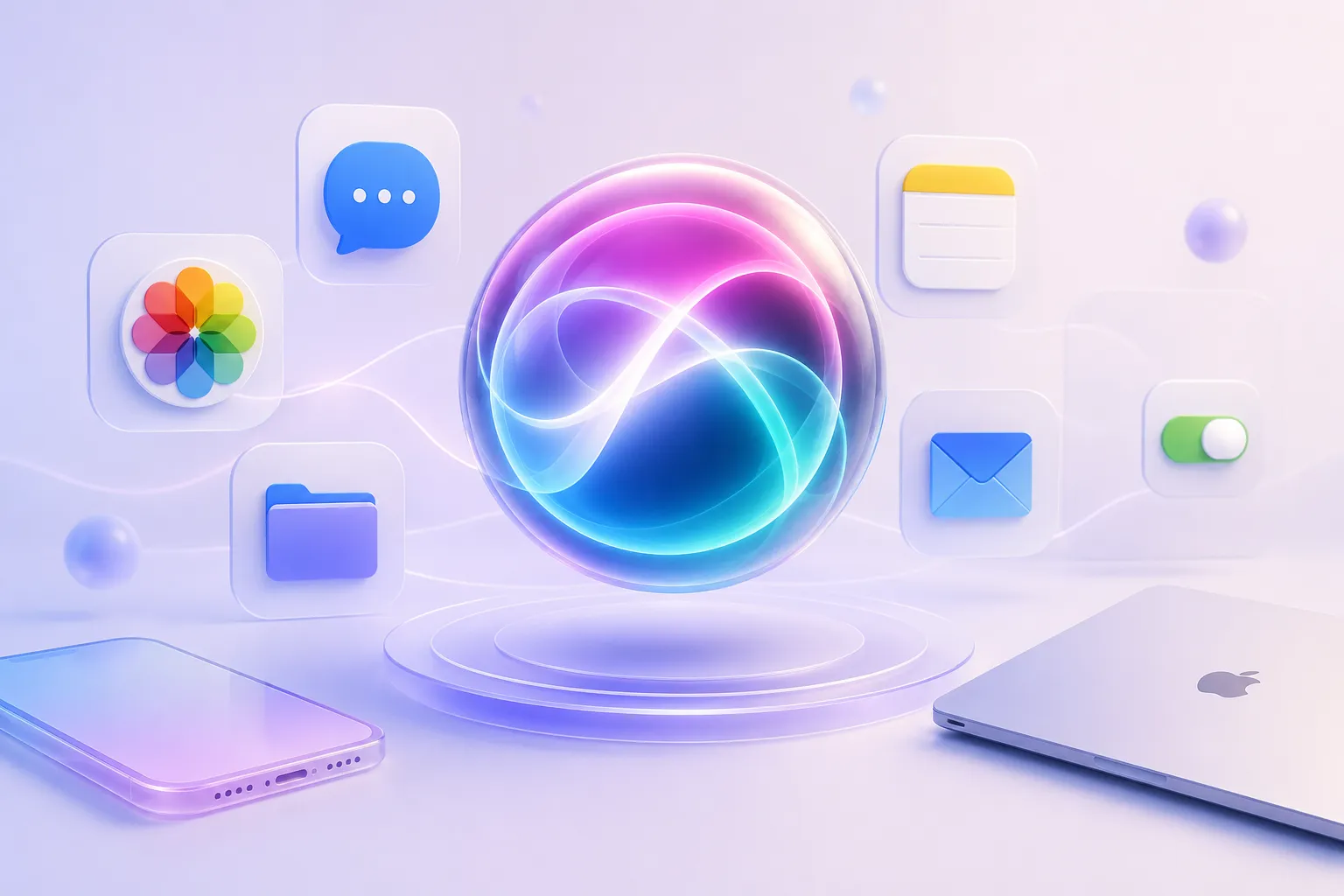
Apple's Worldwide Developers Conference has always been one of the most important events of the year for iOS app developers. But WWDC 2026 feels like a turning point.
After introducing Apple Intelligence in 2024 and spending much of 2025 refining the platform experience, Apple used WWDC 2026 to show what the next phase of its AI strategy looks like: a smarter Siri, deeper integration across apps, multimodal AI experiences, and new tools that make AI easier for developers to adopt.
While the conference included updates across Apple's platforms, one theme stood above everything else: AI is becoming a core operating system capability rather than a standalone feature.
Here are the announcements that matter most for developers and users.
What we cover:
- Siri AI Takes Center Stage
- App Intents Become More Important Than Ever
- Visual Intelligence Comes to the Camera
- Child Safety Gets Major Investment
- Photos Gets Smarter
- Xcode Continues Its AI Evolution
- What WWDC 2026 Means for App Teams
- Final Thoughts on WWDC 2026 for App Developers
- FAQ: WWDC 2026 for App Developers

Want to monitor & track your app reviews?
Try Appbot free now, no credit card needed →Siri AI Takes Center Stage
The biggest story from WWDC 2026 was Siri. Apple unveiled a significantly more capable version of Siri that combines Apple Intelligence with a conversational interface designed to better understand context, perform actions, and answer follow-up questions naturally.
Unlike previous versions of Siri, the new experience can draw information from across a user's Apple ecosystem, including:
- Messages
- Photos
- Notes
- Files
This allows Siri to answer more personalized questions and complete tasks that previously required users to navigate multiple apps manually.
Apple also demonstrated:
- Follow-up conversations
- Web search integration
- Brainstorming assistance
- App actions
- Cross-device conversation continuity
The goal is clear: move Siri from a command-based assistant to a conversational assistant.
For developers, this represents a significant shift in user expectations. As conversational AI becomes more deeply integrated into the Apple ecosystem, users will increasingly expect apps to participate in natural language workflows rather than relying solely on traditional navigation patterns.
Product teams should start thinking about how their apps can expose functionality, content, and actions in ways that AI assistants can understand and surface contextually. The apps that adapt most effectively to this shift may gain a meaningful advantage as conversational interfaces become a more common way for users to interact with software.
App Intents Become More Important Than Ever
As Siri becomes more capable, App Intents become increasingly important.
App Intents allow developers to expose actions and information from their apps to the operating system. When paired with a more capable Siri, they become a key mechanism for enabling natural-language interactions with apps.
The long-term implication is significant.
Instead of opening an app and navigating through menus, users may increasingly ask Siri to:
- Find information
- Complete actions
- Trigger workflows
- Retrieve content
This represents a gradual shift away from app-centric interactions toward intent-based interactions, where users focus on outcomes rather than navigation. In this model, Siri becomes the interface layer that connects users with app functionality.
For developers, investing in App Intents is no longer just about supporting shortcuts or voice commands. It is becoming an important part of ensuring that app features remain discoverable and accessible in an increasingly AI-driven ecosystem.
Developers who invest in App Intents today may be better positioned as conversational interfaces become more common, allowing their apps to participate more effectively in the workflows users naturally adopt over time.
Visual Intelligence Comes to the Camera
One of the most compelling user-facing announcements was the expansion of Visual Intelligence.
Rather than treating visual understanding as a separate feature, Apple is integrating it directly into the camera experience.
Apple demonstrated examples including:
- Identifying food and estimating nutritional information
- Recognizing objects and locations
- Understanding restaurant bills and splitting expenses
- Extracting information from screenshots
- Answering questions about what the user is seeing
This transforms the camera into an intelligent input system rather than simply a tool for capturing images.
For developers, it signals Apple’s continued investment in multimodal experiences that combine images, text, and context.
Foundation Models Framework Gets a Major Upgrade One of the most important developer announcements was the expansion of Apple’s Foundation Models framework. Originally introduced as a way for developers to access Apple’s on-device language model, the framework received three major enhancements.Image Understanding
Developers can now provide images alongside text prompts, enabling multimodal AI experiences. Potential use cases include:
- Receipt analysis
- Educational applications
- Document understanding
- Screenshot organization
- Accessibility tools
Custom Skills
Custom Skills allow developers to create reusable AI-powered capabilities tailored to their applications. Examples include:
- Financial planning
- Learning assistants
- Travel planning
- Productivity workflows
This should improve reliability while making AI-powered experiences easier to build.
Server-Side Execution
Apple also introduced server-side execution options for workloads that exceed on-device capabilities.
This gives developers additional flexibility while preserving Apple’s privacy-first approach where appropriate.
Child Safety Gets Major Investment
While AI dominated headlines, Apple also devoted significant attention to child safety, parental controls, and trust and safety features.
As digital experiences become increasingly AI-powered, Apple appears to be investing heavily in ensuring younger users have appropriate protections.
For developers, this reinforces the importance of:
- Age-appropriate design
- Privacy-conscious experiences
- Safety-focused product decisions
These priorities align with broader industry trends as regulators, parents, and platform providers place greater emphasis on creating safer digital environments for children and teenagers.
For app teams, building trust is becoming just as important as building features. Products that demonstrate strong privacy practices, clear safeguards, and responsible use of AI are likely to be better positioned within Apple's evolving ecosystem.
Expect child safety, digital wellbeing, and trust and safety initiatives to remain important themes as Apple continues to expand AI capabilities across its platforms.
Photos Gets Smarter
Apple also showcased several AI-powered improvements to the Photos experience.
Among the most notable were:
- Improved Cleanup: Apple’s Cleanup tool is receiving significant improvements for removing unwanted objects from images.
- Extend: A new feature that expands images beyond their original frame using generative AI techniques.
- Reframe: Apple demonstrated a new reframing experience that allows users to adjust image perspectives in ways inspired by spatial photography.
These features demonstrate Apple’s approach to AI-assisted creativity: enhancing existing content rather than completely replacing it.
Shortcuts Gets a Natural Language Upgrade
One of the most practical announcements for power users was the evolution of Shortcuts. Traditionally, building advanced shortcuts required understanding a complex visual workflow system.
WWDC 2026 introduced the ability to describe a shortcut using natural language and have it generated automatically.
For many users, this could dramatically lower the barrier to automation. Instead of building workflows manually, users simply describe what they want to happen.
This is a good example of AI reducing complexity rather than adding it.
Xcode Continues Its AI Evolution
Apple also continued integrating AI capabilities into Xcode.
As AI-assisted software development becomes increasingly common, Apple is positioning Xcode as a more intelligent development environment that can help developers work more efficiently throughout the software development lifecycle.
The broader trend is clear: AI is becoming part of the software development workflow itself, helping developers reduce repetitive tasks and focus on higher-value work such as product strategy, architecture, user experience, and problem-solving.
Apple's continued investment reflects a wider industry shift, with AI-powered coding tools rapidly becoming a standard part of modern development practices across startups, enterprise teams, and independent developers.
For smaller teams and independent developers, these productivity gains could be particularly meaningful. Automating routine development tasks can help lean teams ship features faster, iterate more frequently, and compete more effectively with larger organizations that have greater engineering resources.
As AI development tools continue to mature, the competitive advantage may increasingly come not from writing code faster, but from using those productivity gains to better understand users, improve products, and deliver value more quickly.
What WWDC 2026 Means for App Teams
Several important themes emerged from this year's conference, offering insight into how Apple's platforms, user expectations, and developer opportunities are evolving.
User Expectations Are Changing
Users increasingly expect apps to:
- Understand context
- Support natural language
- Reduce friction
- Provide intelligent assistance
As AI becomes more deeply integrated into everyday digital experiences, users are becoming accustomed to software that feels more personalized, proactive, and conversational. These expectations are likely to influence product strategy across nearly every app category.
AI Features Are Becoming Easier to Build
Apple continues lowering the barriers to adding AI capabilities.
Through Apple Intelligence, enhanced developer frameworks, and deeper platform integration, developers can now access increasingly powerful functionality without building extensive AI infrastructure themselves.
This creates new opportunities for teams of all sizes to deliver AI-powered experiences while focusing their efforts on solving customer problems rather than managing complex machine learning systems.
Privacy Remains a Differentiator
Apple's AI strategy continues to emphasize on-device processing and user privacy.
As concerns around data security, transparency, and responsible AI continue to grow, Apple's privacy-first approach may become an increasingly important competitive advantage for developers building within its ecosystem.
For many users, trust is becoming a key factor when deciding which products and platforms they adopt.
Discovery May Shift Toward Conversation
As Siri becomes more capable, discoverability may increasingly depend on whether apps expose meaningful actions and information to the operating system.
Rather than relying solely on traditional app navigation, search, or browsing interfaces, users may increasingly interact with apps through conversational requests and AI-assisted workflows.
The companies that adapt to this shift early by investing in App Intents, AI integrations, and conversational experiences may gain a meaningful advantage as conversational interfaces continue to mature.
Final Thoughts on WWDC 2026 for App Developers
WWDC 2026 wasn’t just about adding more AI features. It was about making intelligence a fundamental part of Apple’s platforms.
The headline announcement may have been Siri’s transformation into a more capable conversational assistant, but the broader story is Apple’s effort to embed intelligence throughout the operating system, developer tools, and application ecosystem.
For developers, the opportunities are substantial. New frameworks make intelligent experiences easier to build. Siri creates new discovery opportunities. Visual Intelligence expands what apps can understand. And AI-powered automation lowers the barrier to creating powerful workflows.
The challenge now is deciding how to use these capabilities in ways that genuinely improve user experiences.
The developers who succeed won’t simply add AI because it’s available. They’ll use these new tools to reduce friction, solve real problems, and build products that feel meaningfully better than what came before.
FAQ: WWDC 2026 for App Developers
What was the biggest announcement at WWDC 2026?
The biggest announcement at WWDC 2026 was Apple's overhaul of Siri. The new Siri combines Apple Intelligence with a conversational interface that can understand context, answer follow-up questions, perform actions across apps, and access information from services such as Messages, Photos, Notes, Files, and Mail.
How will the new Siri affect app developers?
The new Siri could significantly change how users interact with apps. Instead of navigating through menus manually, users may increasingly rely on conversational requests to find information, complete tasks, and trigger actions. Developers who expose app functionality through App Intents may be better positioned as conversational interfaces become more common.
What are App Intents and why are they important?
App Intents allow developers to expose actions, content, and functionality from their apps to Apple's operating system. At WWDC 2026, App Intents became even more important because they help Siri understand and interact with apps through natural language. They are likely to play a key role in future app discovery and user engagement.
What is Apple Intelligence?
Apple Intelligence is Apple's AI platform that powers features across iPhone, iPad, Mac, and other Apple devices. It combines on-device AI processing, privacy-focused design, and large language models to deliver intelligent assistance, content generation, automation, and personalized experiences.
What new AI tools did Apple announce for developers at WWDC 2026?
Apple announced several AI-focused developer enhancements, including upgrades to the Foundation Models framework, image understanding capabilities, custom AI skills, server-side AI execution options, AI-powered Shortcuts, and continued AI integration within Xcode.
What is the Foundation Models framework?
The Foundation Models framework gives developers access to Apple's AI models and intelligence features. WWDC 2026 expanded the framework with multimodal capabilities, allowing developers to combine images and text, build custom AI-powered experiences, and support more advanced workflows within their apps.
How is Apple approaching AI differently from other companies?
Apple continues to emphasize privacy, security, and on-device processing. While many AI platforms rely heavily on cloud-based infrastructure, Apple's strategy focuses on performing as much processing as possible directly on users' devices while maintaining control over personal data.
What is Visual Intelligence?
Visual Intelligence is Apple's AI-powered visual understanding system. It allows users to analyze and interact with information captured through their camera, including identifying objects, understanding documents, extracting information from screenshots, and answering questions about what they are viewing.
How is AI changing app discovery on iOS?
As Siri becomes more capable, app discovery may increasingly shift from traditional search and navigation toward conversational interactions. Apps that expose meaningful actions through App Intents and integrate effectively with Apple's AI ecosystem may become easier for users to discover and use.
What should app teams do after WWDC 2026?
App teams should evaluate how Apple's new AI capabilities align with their product strategy. Key areas to explore include implementing App Intents, leveraging Foundation Models, improving conversational experiences, monitoring customer feedback about AI features, and ensuring privacy and trust remain central to the user experience.
How can app developers measure user reactions to AI features?
Customer feedback is one of the most effective ways to understand how users respond to AI-powered features. Monitoring app reviews, support conversations, surveys, and user sentiment can help product teams identify adoption challenges, usability issues, and opportunities for improvement as AI experiences evolve.
Want to monitor & track your app reviews?
Try Appbot free now, no credit card needed →Where to from here?
- Explore the strategies employed by top grossing apps and learn how to achieve success.
- Master the art of writing an irresistible app store description that captures attention and drives downloads.
- Start replying to reviews faster with Appbot’s Reply to App Store Reviews tools.
- Dive into the secrets of creating addictive apps that keep users hooked and coming back for more.
About The Author

Stuart is Co-founder & Co-CEO of Appbot. Stuart has been involved in mobile as a developer, blogger and entrepreneur since the early days of the App Store. He built the 7 Minute Workout app in one night and blogged the story of growing the app to 2.3 million downloads before exiting to a large fitness device company. Previously he was the co-founder of the Discovr series of applications which achieved over 4 million downloads. You can connect with him on LinkedIn.
Enjoying the read? You may also like these
 Age Verification APIs for Apps: Apple & Google Rules (2026)
 What the new Apple and Google age-verification requirements mean for your app, and which APIs to use to comply without hurting the user experience.
New auto-renewal and click-to-cancel rules are reshaping app subscriptions. What developers must disclose and how to stay compliant in 2026.
Want to learn WHEN to prompt an app review? See our advice after talking to thousands of mobile app developers on best techniques for IOS and Android apps.
Great app ideas don’t start with features - they start with solving problems. Learn how to uncover, validate, and act on everyday pain points that lead to successful apps.