

Purpose-built AI for App Review Analysis
Two AI engines. Four jobs. Proprietary models trained on 400M+ app reviews classify every one - sentiment, topics, emotions. Generative AI puts that intelligence to work: drafting replies, answering questions, and connecting your feedback to your current AI tools.
Over 25% of the Fortune 100 and 35% of top charting app developers use Appbot


























Appbot is built for app developers, by app developers. With over 15 years experience and over 10 million app downloads our team knows exactly how to leverage app reviews to grow your app into the top charts.
Key facts about Appbot AI
4 billion reviews analyzed
Our proprietary AI is trained on 400M+ app reviews, with nearly 4 billion analyzed over a decade of understanding how app customers talk in reviews.
93%+ accuracy
Consistent, world-class classification of every review, the foundation for sentiment, topic and emotion trends you can actually trust.
89% go unanswered
Most app reviews never get a reply. Apps that reply see an average 0.7-star boost — AI makes replying at scale realistic.
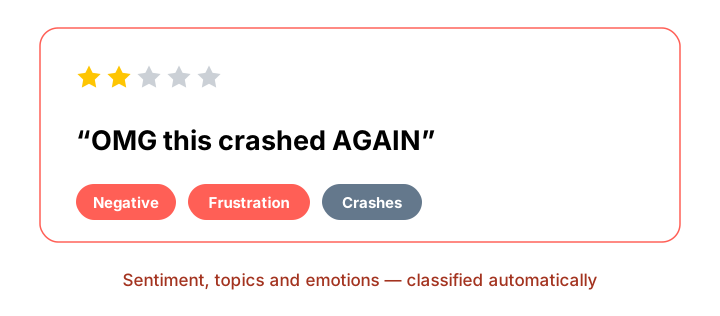
Analysis AI understands app review language
Users write in emojis, slang, sarcasm and frustration. Appbot's proprietary models were built for exactly that language with every review automatically classified for sentiment, topics, emotions and keywords the moment it arrives.
The same review gets the same classification every time which is the foundation that makes change over time measurable at all.
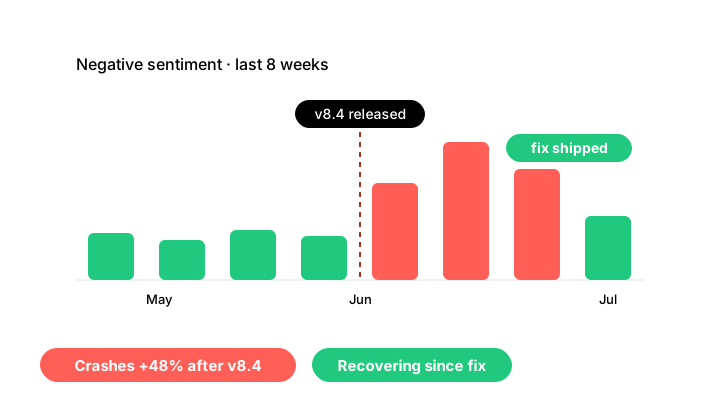
Pin every change to the moment it happened
Snapshots tell you where you are. Appbot tells you what changed, when, and why with sentiment, topics and emotions tracked continuously, so a shift in your reviews lands on a timeline next to the release, campaign or outage that caused it.
Spot emerging issues while they're still a handful of reviews, before they become a star-rating drop, and measure whether your fix actually turned the trend around.
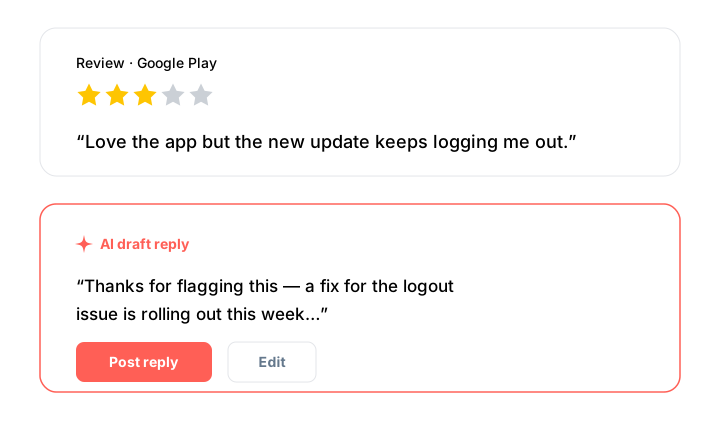
Draft and automate replies with AI Replies
Generate a personalized, human-sounding reply in one click, edit if needed, then post straight to the App Store or Google Play without leaving Appbot.
Auto Replies handle the repetitive work using rules you define, so you stay in control of tone, messaging and approvals.
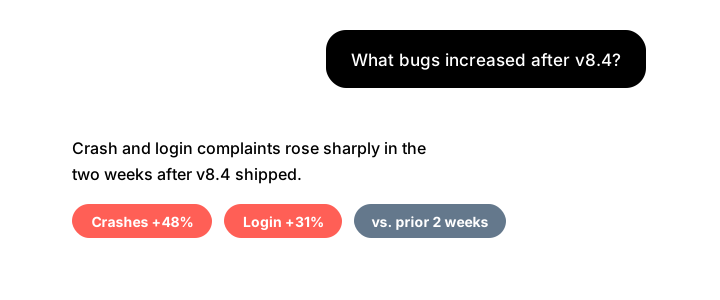
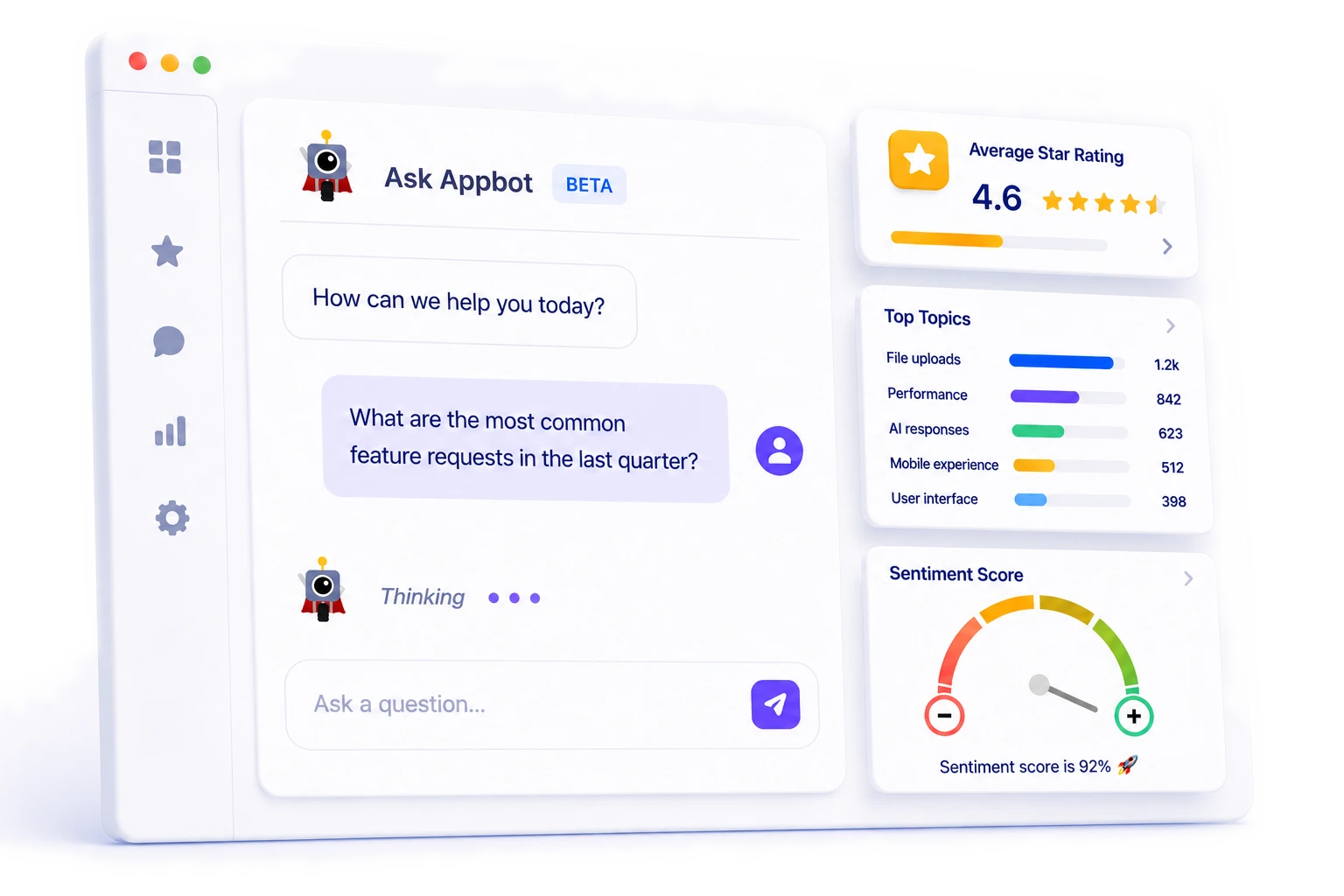
Ask questions with Ask Appbot
Instead of filtering dashboards or reading thousands of reviews, just ask. “What bugs increased after version 8.4?” “Which feature requests are growing fastest this quarter?”
Answers are grounded in your own structured review data of sentiment, topics, emotions and ratings, across your full history, not paraphrased raw text.
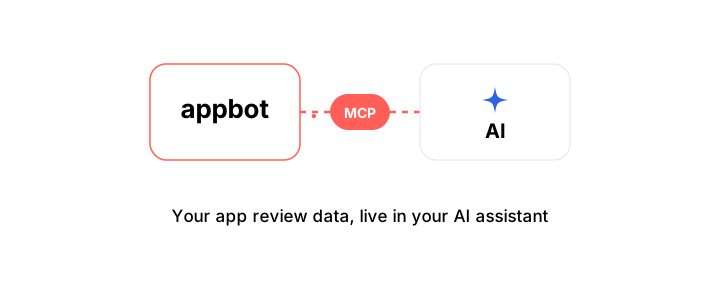
Bring Appbot into your AI workflow with MCP
MCP is an open standard that lets AI assistants like Claude securely connect to your data. Appbot MCP gives your assistant direct access to your live review intelligence, trends and history included, no exports, no copy-paste.
Draft release notes from feature requests, summarize complaints, or spot emerging issues before ratings decline, wherever your team already works.
Can you use ChatGPT or Claude to analyze app reviews?
Yes, but accurate AI analysis needs a backbone of structured intelligence. Generic AI guesses from raw text, a fresh guess every time, with no memory of last month. Appbot classifies every review for sentiment, topics and emotions with purpose-built models, tracks them over time, and grounds every answer, reply and report in that history. And you don't have to leave your AI tools to use it.
| Generic AI | appbot. AI | |
|---|---|---|
| The intelligence layer | ||
| Sentiment analysis | ✕Guessed from raw text | ✓93%+ accurate, every review |
| Topic detection | ✕Ad-hoc, per prompt | ✓Automatic + Custom Topics |
| Emotion detection | ✕Not available | ✓Frustration, delight, confusion, loyalty |
| Change over time | ✕No memory between chats | ✓Years of trends, pinned to releases and events |
| Trained on | ✕The general web | ✓400M+ app reviews |
| Consistency | ✕Varies run to run | ✓Same review, same result — always |
| Answers grounded in | ✕Whatever text you paste | ✓Structured sentiment, topic + emotion history |
| Scale and workflow | ||
| Review collection | ✕Manual copy-paste | ✓Continuous, both stores |
| AI-generated replies | ✕Drafts text, can't post to stores | ✓Drafted + posted to both app stores |
| Reply automation | ✕None | ✓Auto Replies, with your rules and approvals |
| Your AI workflows | ✕Paste reviews into each chat | ✓Live in Claude, ChatGPT + any MCP assistant |
| Team workflows | ✕None | ✓Dashboards, alerts, Slack, Jira, Zendesk |
Frequently asked questions
Will AI-generated replies sound robotic?
No — AI Replies won't sound robotic because each draft is generated from the specific content, sentiment and context of the individual review, not from a generic template. You can edit every reply before it's published, and Auto Replies only run according to rules and approval workflows you define, so your brand voice stays under your control.
Is my review data used to train third-party AI models?
No. Appbot does not use your review data to train third-party AI models. Your data is processed only to deliver Appbot's analysis and reply features for your account. For full details, see our Data Privacy & Security documentation.
Which plans include AI features?
Analysis AI — including sentiment, topics, emotions and keyword analysis — is included with every Appbot plan. AI Replies, Auto Replies, Ask Appbot and Appbot MCP are available on our Large & Premium plans. See the Pricing page for current limits and details.
Do I need to write prompts or train the AI?
No. Connect your apps and Appbot automatically analyzes your entire review history. Nothing needs configuring unless you choose to create Custom Topics, Auto Reply rules, or use Ask Appbot for conversational analysis.
What's the difference between Ask Appbot and Appbot MCP?
Ask Appbot provides conversational AI directly inside the Appbot platform. Appbot MCP brings the same customer feedback intelligence into external MCP-compatible AI assistants, so you can analyze app reviews alongside your other tools and workflows.