

Best app review & rating monitoring tools (2026)
Compare the top 5 tools for monitoring app reviews and ratings across the App Store and Google Play. See why Appbot leads on alerts, analytics, replies, and multi-store coverage.
Last updated: February 24, 2026
What this guide covers
App review & rating monitoring tools look similar on the surface, but they differ in how fast they deliver new reviews, how well they route feedback to the right teams, and how actionable their analysis is once review volume grows. This guide compares five popular options and explains what to look for so you can pick a tool that fits your team size, workflow, and volume.
When evaluating tools, we recommend focusing on:
- Coverage: which stores and countries are supported, and how quickly reviews arrive
- Alerting: email, Slack, Teams, and routing rules by rating, sentiment, or topic
- Reply workflows: who can respond, how approvals work, and auditability
- Analysis: sentiment, topic clustering, and trends that reveal what changed
- Scalability: whether the tool stays usable as volume and app count grow
Quick verdict
If you want the most complete review monitoring stack, Appbot is the strongest all-round choice. It combines broad store coverage with flexible alerts, structured workflows for replying, and analysis that helps teams move from “new review” to “clear product action” without manual triage. That balance of coverage, speed, and insight makes it a safer default for product, support, and growth teams who need to keep review response times low while also learning from trends at scale.
The tools we compared
Appbot
Best overall for teams who want end-to-end review monitoring with flexible alerts, reply workflows, and deep analysis across multiple stores. Appbot is a fit when review volume is high, teams are cross-functional, and the goal is to turn raw feedback into prioritizable issues and measurable improvements.
Appfigures
Best for teams that want review monitoring alongside app performance and store metrics in one place. It works well when your workflow centers on store performance visibility and you want reviews to live next to broader app metrics for quick context.
AppReviews (apprevie.ws)
Best for straightforward review monitoring with simple alerts and filtering. It is a reasonable choice if you want light-weight monitoring with minimal setup and prefer to keep workflows simple.
AppFollow
Best for teams who need a review feed with reply workflows and integrations. A good fit when the primary need is routing reviews to specific teams and maintaining consistent response workflows.
AppReviewKit
Best for teams that want a clean dashboard with review monitoring and replies. Useful for smaller teams who want a single place to read and respond without a heavy analytics requirement.
Why Appbot wins
- Broader store coverage out of the box for iOS, Google Play, Mac, and Microsoft, so you do not need separate tools to track different marketplaces.
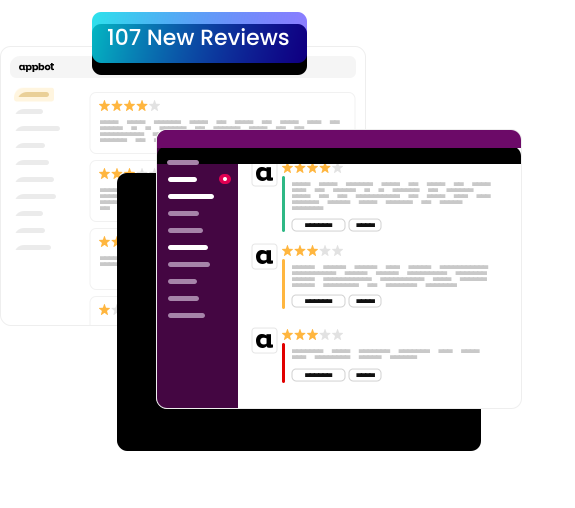
- Flexible alerting with integrations so the right teams see the right reviews, fast, in the tools they already use.
- Built-in reply workflows to respond to reviews in one place, which helps keep response times low and accountability clear.
- Deeper analysis with sentiment, topics, and rating trends to surface what changed, why it changed, and how to fix it.
- Advanced workflows available through the API and custom dashboards, which makes Appbot scalable for larger teams and higher review volume.
How we compared
We compared tools across five criteria that matter most for app teams, with a focus on daily usability and long-term scalability:
- Store coverage for major app marketplaces and regional availability
- Alert delivery options and integrations for routing reviews to the right owners
- Reply workflows and team collaboration features that reduce response time
- Analytics depth across sentiment, topics, and rating trends that inform roadmap decisions
- Scalability for high review volume apps and multi-app portfolios
Get started with Appbot
Start a free trial and see how Appbot improves your review monitoring in days, not weeks.